Inkbrew hero logo

Ink brew app’s goal was to let users organize their digital thoughts, teams and individual tasks, bookmarks, notes and files in one place. Less may not be more, but it is significant sometimes.
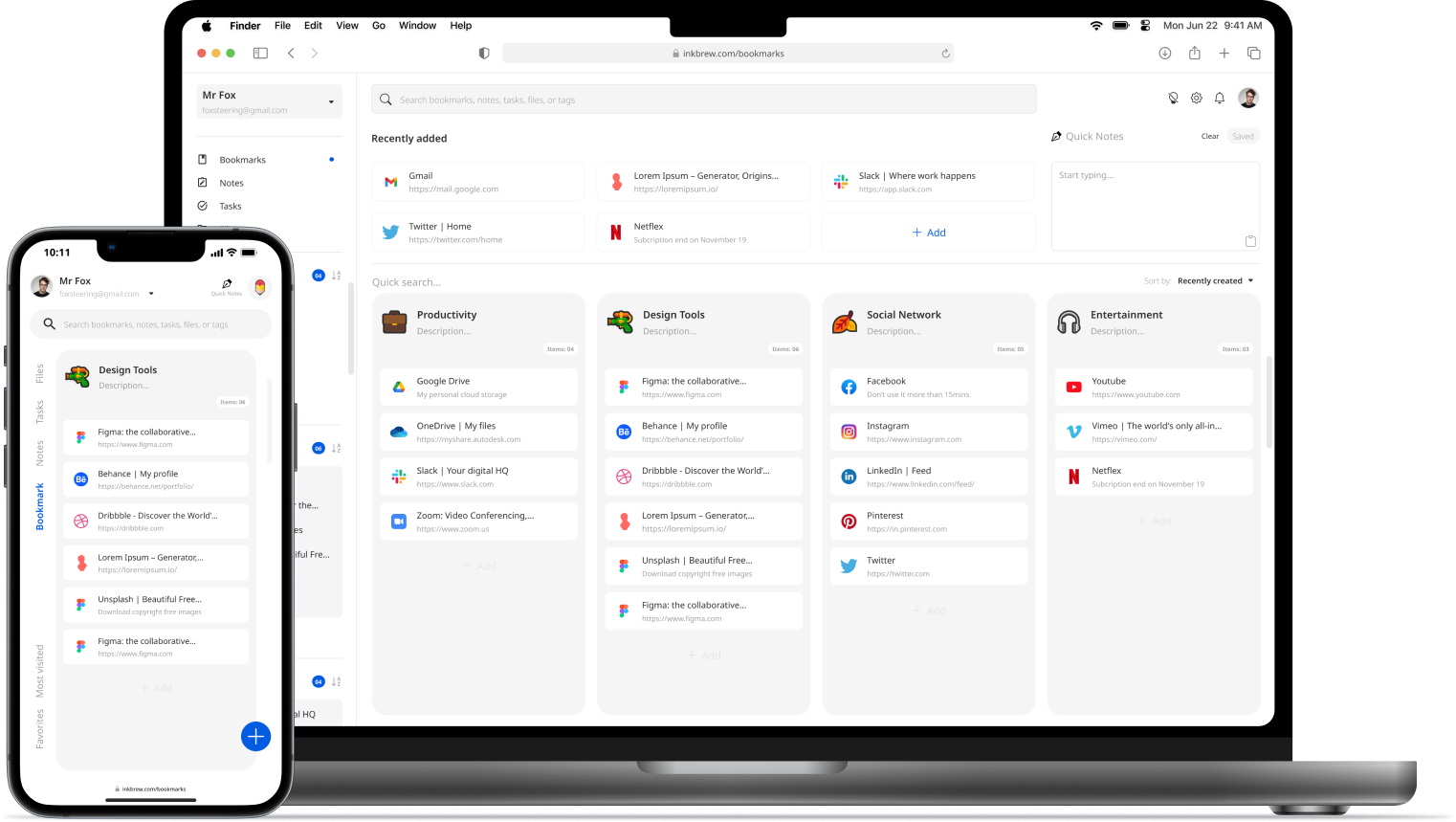
App mockup hero image

Role

Ux Designer

Timeframe

4 Weeks

Year

2022

Figma logo

About the project

At this age, we have more tools to be digitally organised. However, most apps aren't easy to use at their full potential. People tend to use different tools to manage various tasks. Sometimes all they need is something simple that doesn't need a scientific brain to figure out how to use an app which is supposed to help them stress less. That's where Inkbrew comes in.
Solution

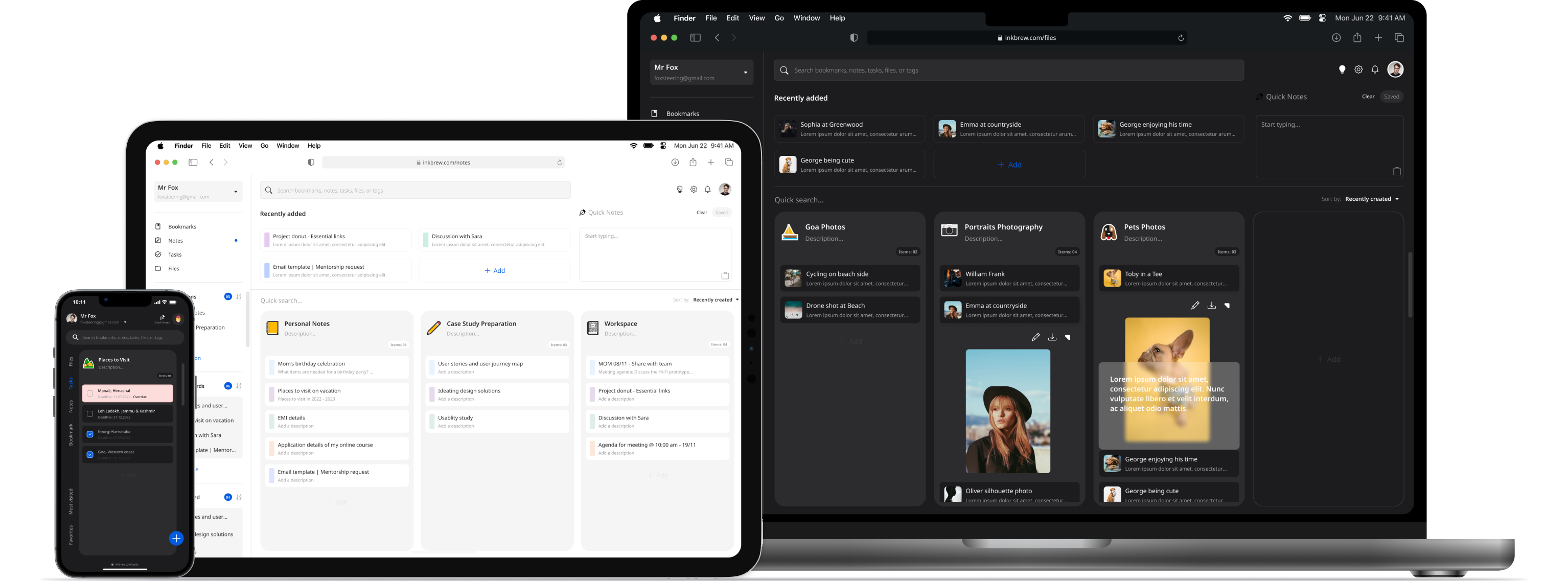
  • Allow users to switch between personal space and workspace.
  • Allow users to manage bookmarks, notes, tasks and files in one place.
  • Clean, and organized user interface design for a better user experience.
  • A visual colour scheme for the tasks that are due & overdue.
  • Feature to show recently added, edited, and deleted allows users to keep track of the recent modifications clean.
  • Ink brew app's goal was to let users organize their digital thoughts, teams and individual tasks, bookmarks, notes and files in one place. Less may not be more, but it is powerful sometimes.
App mockup image 01

Design Process

I used the Lean UX principle in the development of the “Inkbrew” app which focused on the user experience under design. It requires a greater level of collaboration with the entire team. The core objective is to focus on obtaining feedback as early as possible so that it can be used to make quick decisions.

Typical questions might include:

  • Who are our users?
  • What is the product used for?
  • When is it used?
  • What situations is it used in?
  • What will be the most important functionality?
  • What’s the biggest risk to product delivery?
Design sprint

Competitive Analysis

I analyzed the three most popular apps in the following categories: project management, note-taking, and bookmark manager.

  • The features often overwhelm new users, especially non-technical users.
  • Users cannot export their data into Excel, JSON, or PDF.
  • Users need to click through multiple pages and options to reach the goal.
  • Lack of search functionality and organizing the search results.
Competitors logo

User Interviews

  • I’ve conducted interviews with 10 people including male, female, non-binary and physically challenged. I’ve asked them questions below to find their experience with eating street food and organized my data through affinity mapping.

Questions Asked Like

  • What types of digital data do you like to organize?
  • How often do you use apps to organize your digital data?
  • Tell me about a time you find it hard to use the productivity app or project management app?
  • How do you incorporate data organizing apps or productivity app in your work?

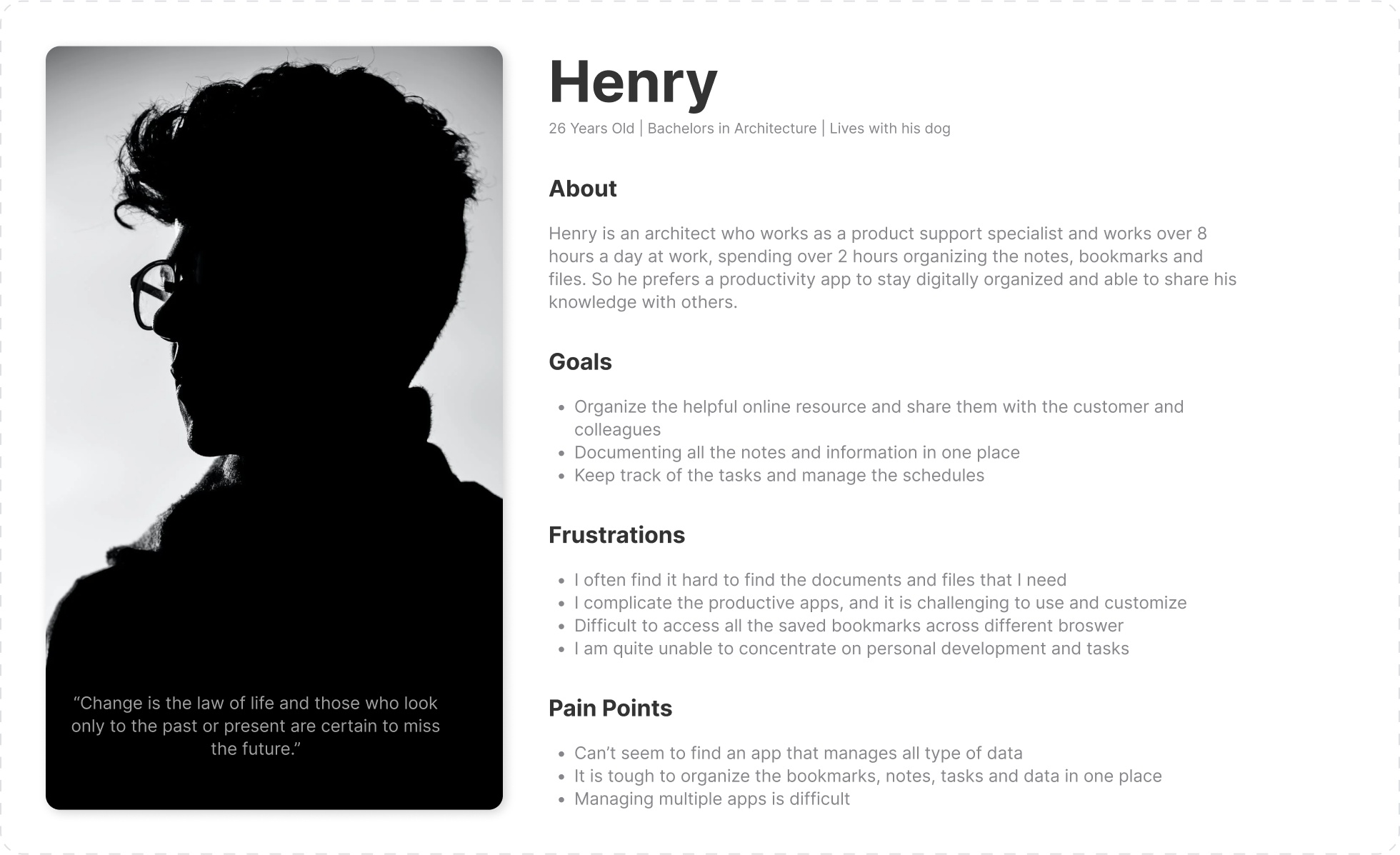
Persona

Persona image 1

Research Insights

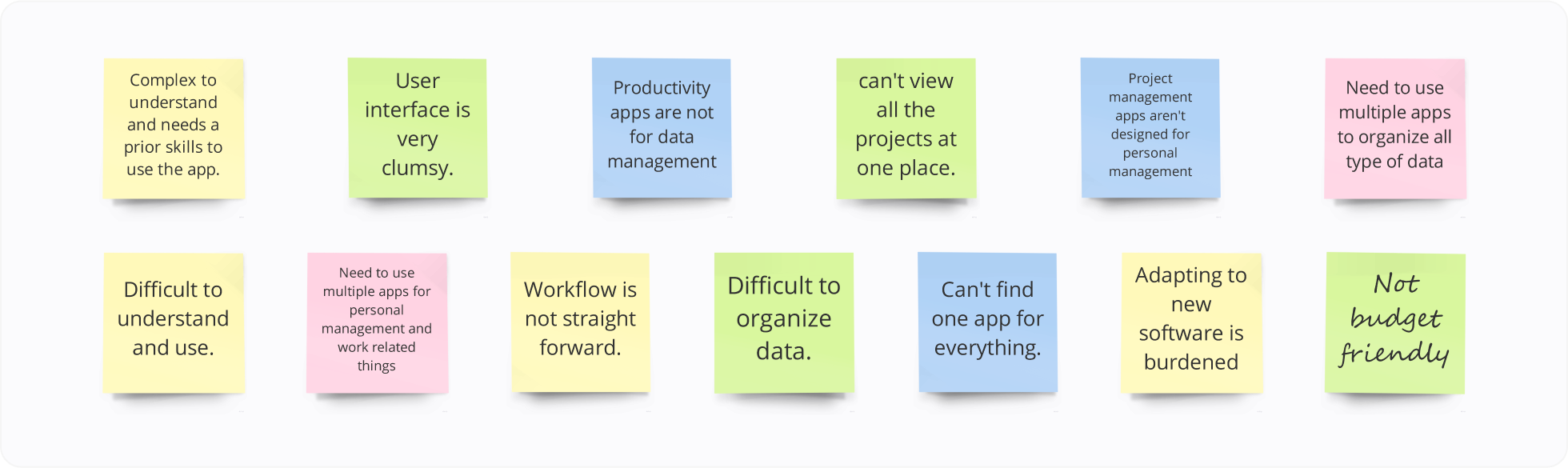
Affinity map

THEME 01: Difficult to use

  • It can be hard to use
  • It is difficult to organize
  • Workflow is not straight forward and it makes it difficult to use it
  • It is too complex to understand and needs tightly skilled resources to be able to  manage them
  • Adapting to new software is sometimes feel burdened
  • It is difficult to share data with others

THEME 02: Not for everyone

  • Project management apps don’t concentrate on individuals
  • Most of the time it doesn’t fit either the small team or the big team
  • Productive apps are not tailored for a data management
  • It is challenging to find one app that suits for everything
  • Productivity apps are very expensive

THEME 03: Vendors Challenge

  • Need to use multiple apps to achieve the goals
  • Can’t view all the projects at one place
  • Need additional skills to organize the data in data organizing apps

User flow Map

The user flow lays out the user’s movement through the product, mapping out every step the user takes-from the entry point right through to the final interaction, such as placing a pickup order helps determine the information architecture.

Bookmark Manager user flow

The following user flow shows every step the user takes from the start point to adding a new bookmark.
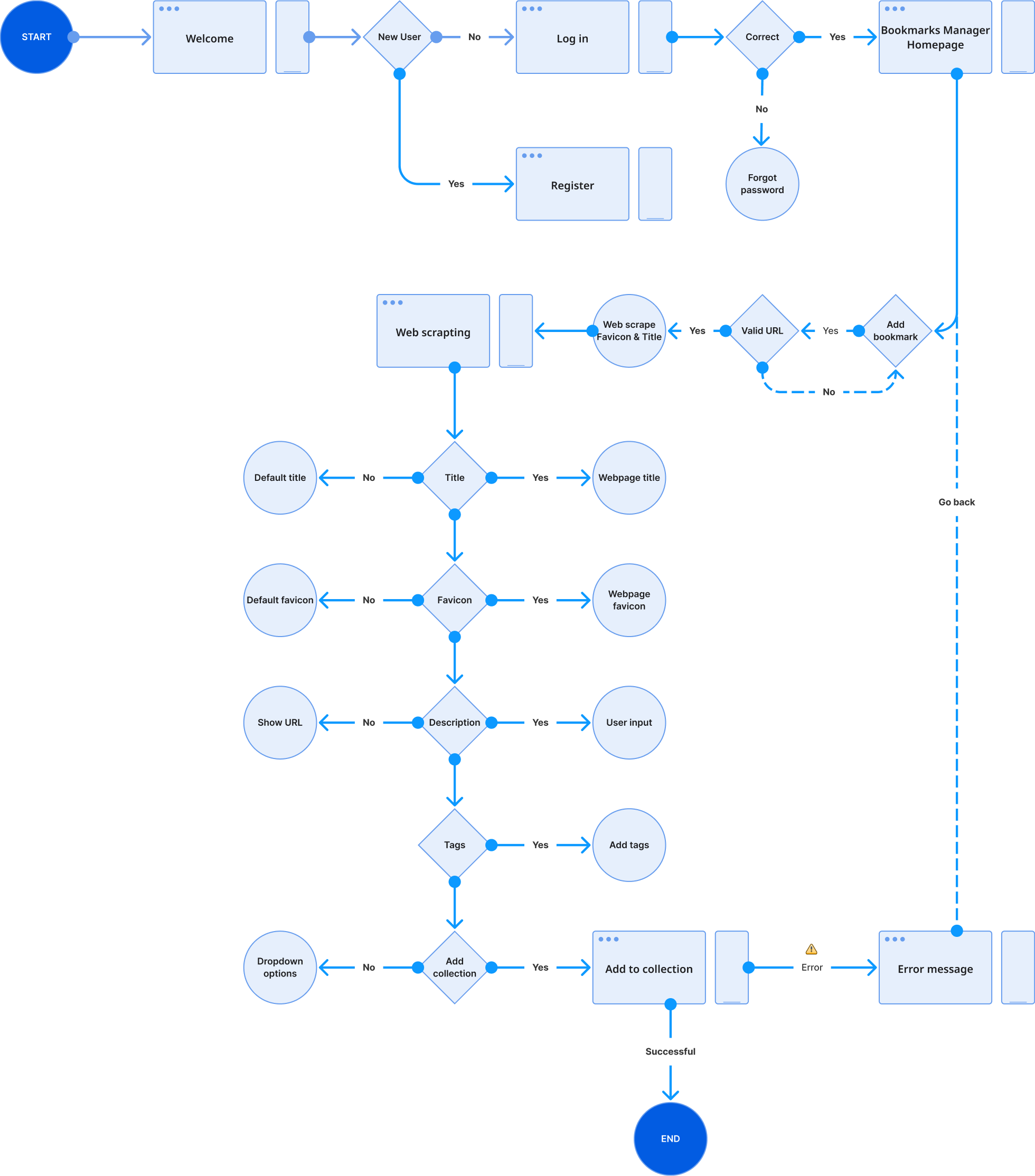
User flow chart

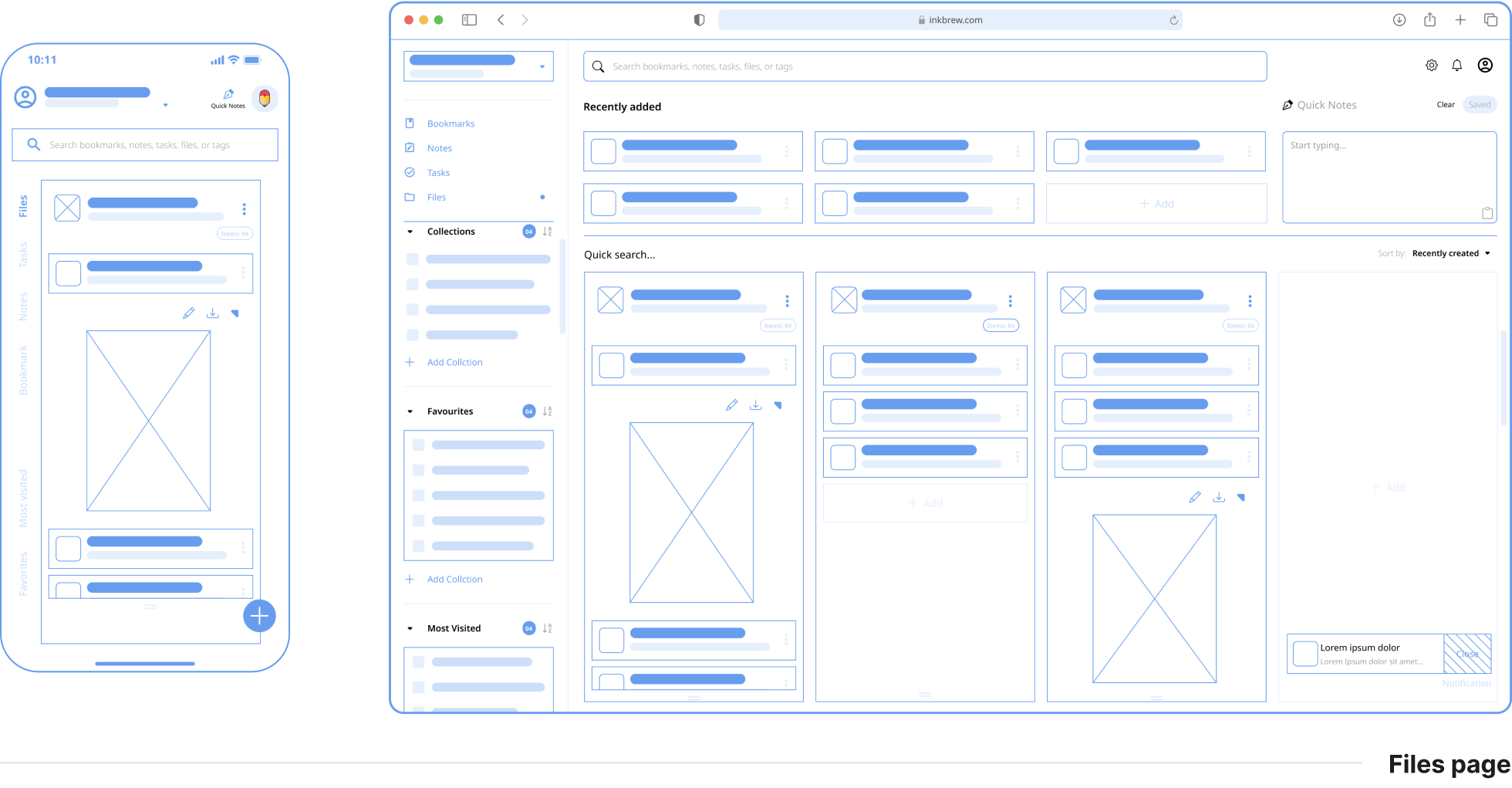
Wireframe

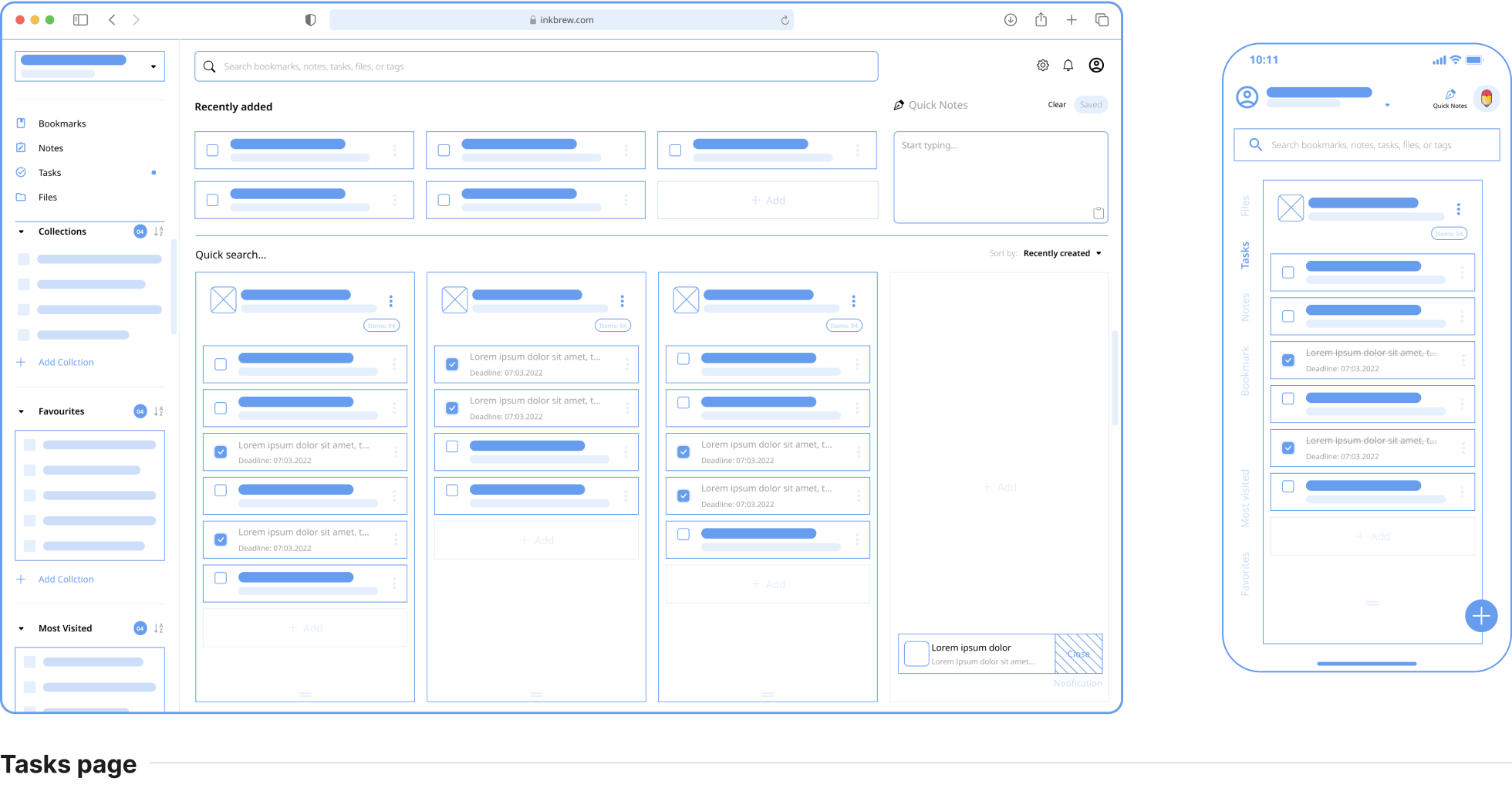
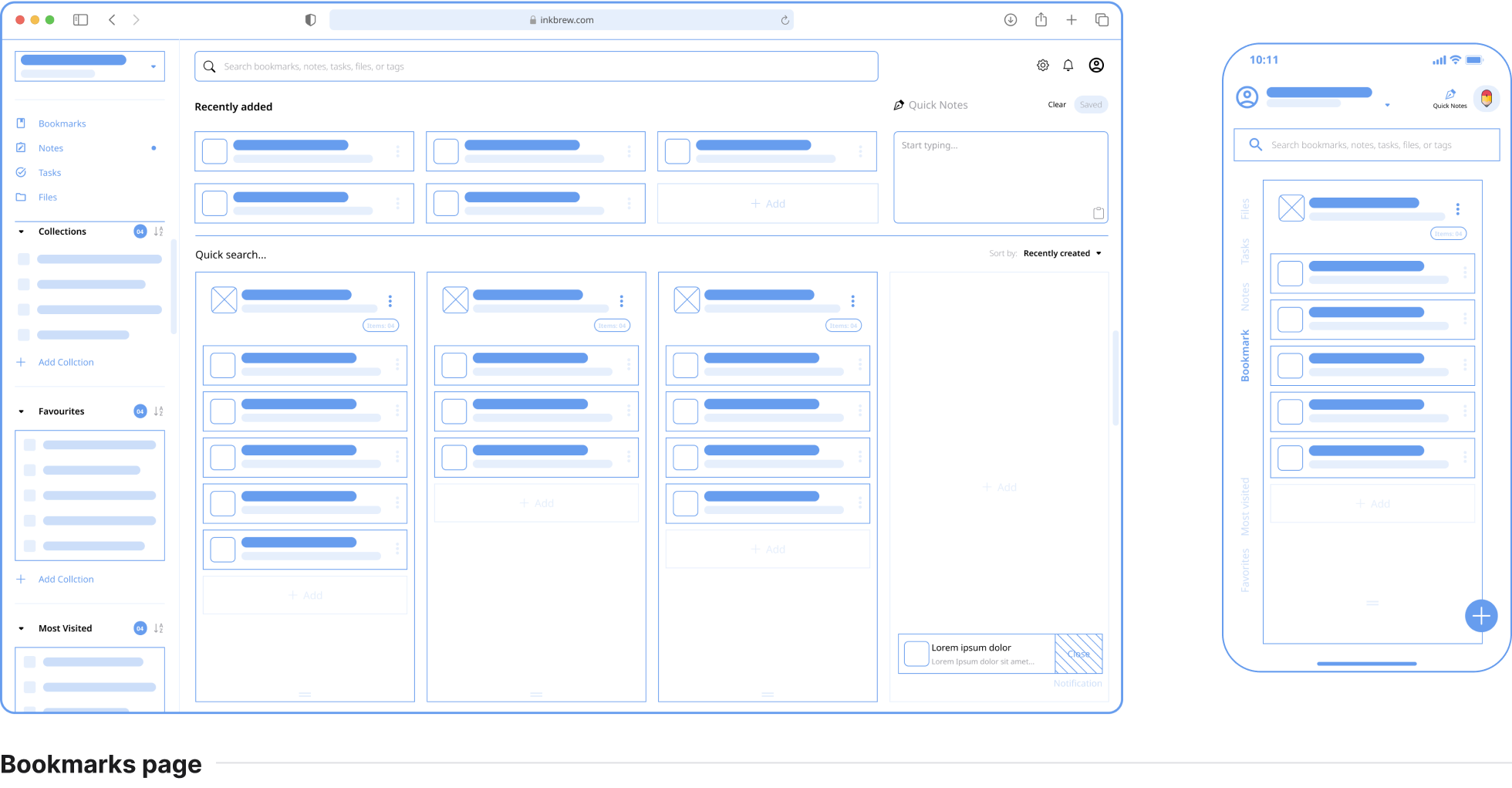
I followed Crazy 8’s in my Design Sprint method to push beyond my first idea and generate a wide variety of solutions. And I have turned my revised sketch into a digital low-fidelity wireframe prototype.
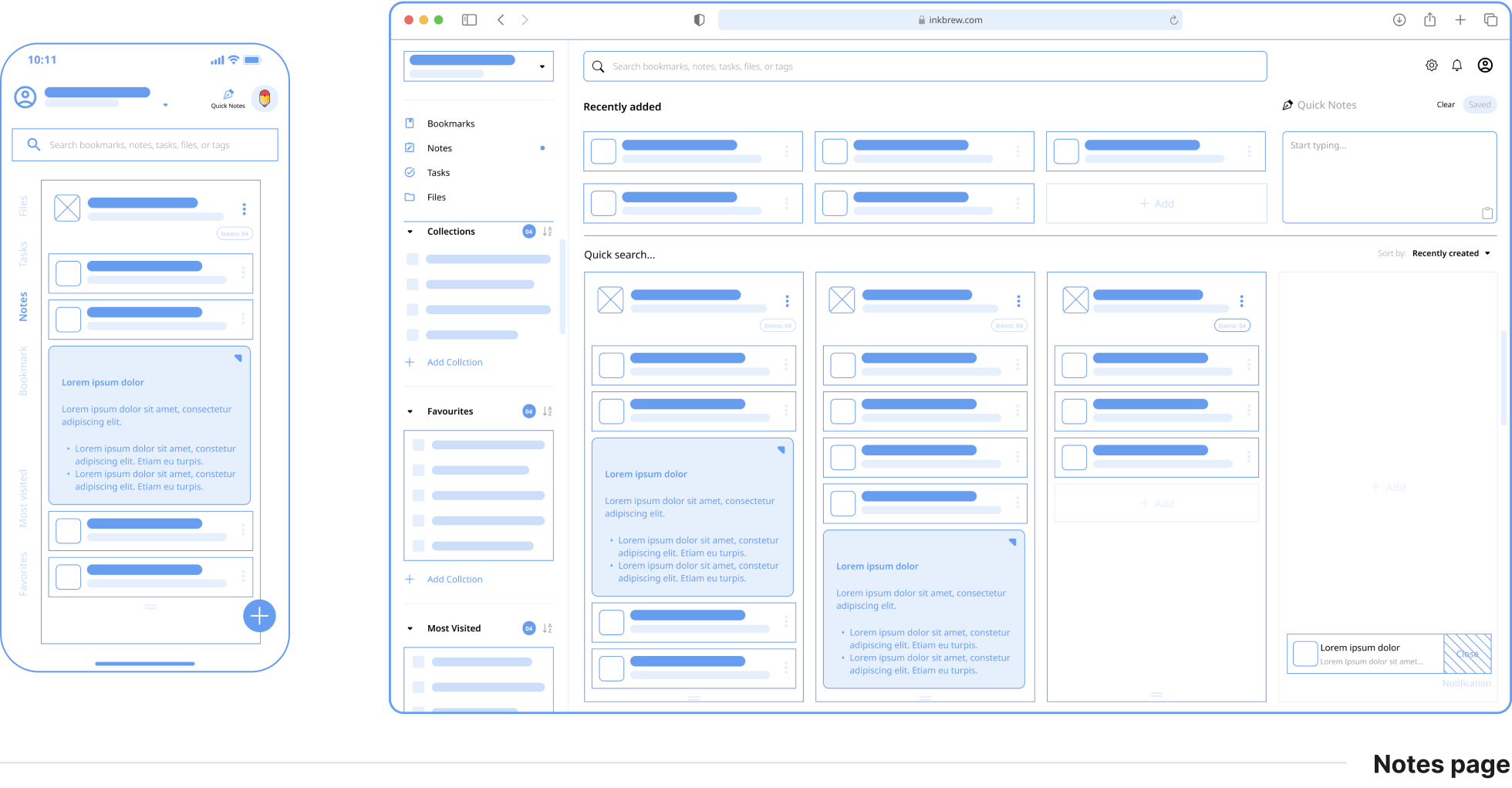
Findings

  • Users wanted the ability to filter bookmarks, notes, tasks & files by tags.
  • Users wanted an option to quickly copy the notes to clipboard.
  • Users needed an option to rearrange cards by dragging.
  • Users wanted a section to view recently added for quick access.

Design Solutions

  • Added an option to add tags when adding a new bookmarks, notes, tasks & files.
  • Added to quick access button to copy the notes to clipboard.
  • Added a grab button at the bottom of the .cards collection to allow users to rearrange the collections Added a section on every page to show the recently added items.
Bookmark Wireframe
Notes Wireframe
Tasks Wireframe
Files Wireframe

The Style Guide

Why #FFBF1F? It's the color of happiness, and optimism, of enlightenment and creativity, sunshine and spring.
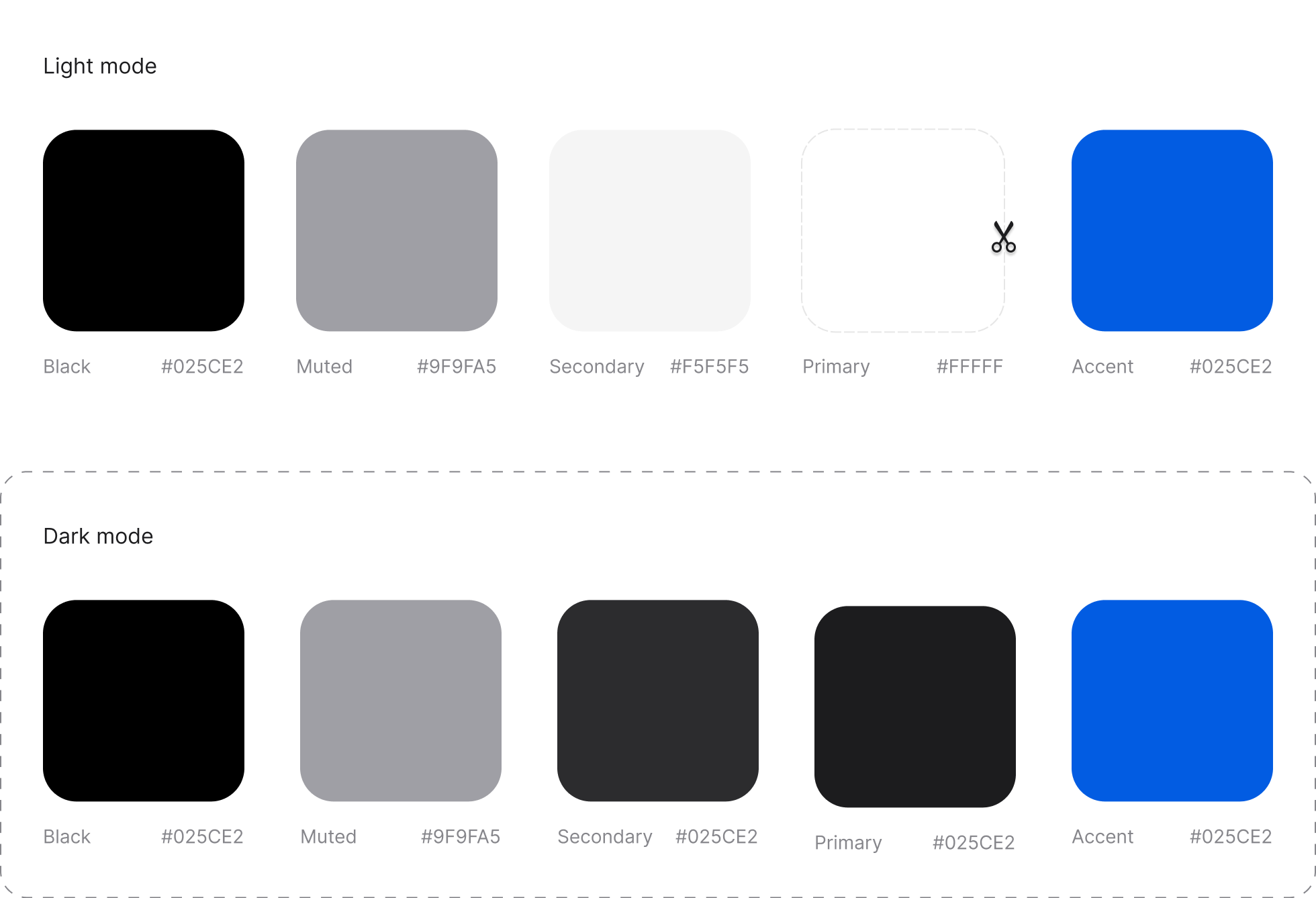
Colours

Color palette

Typography

Google font - Regular | Semi-bold | Bold

Typography

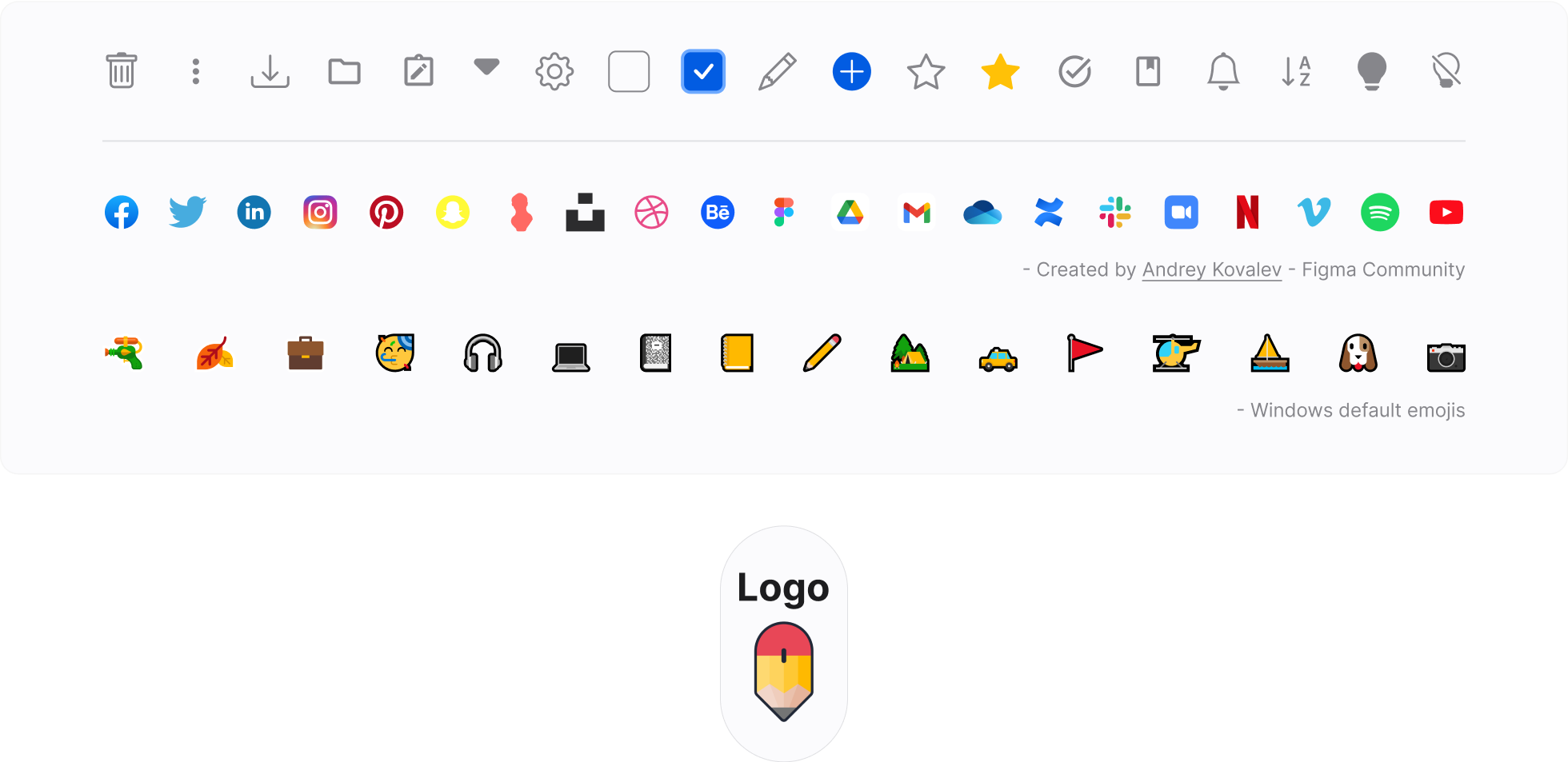
Icons

Bootstrap Icons

Icons collection

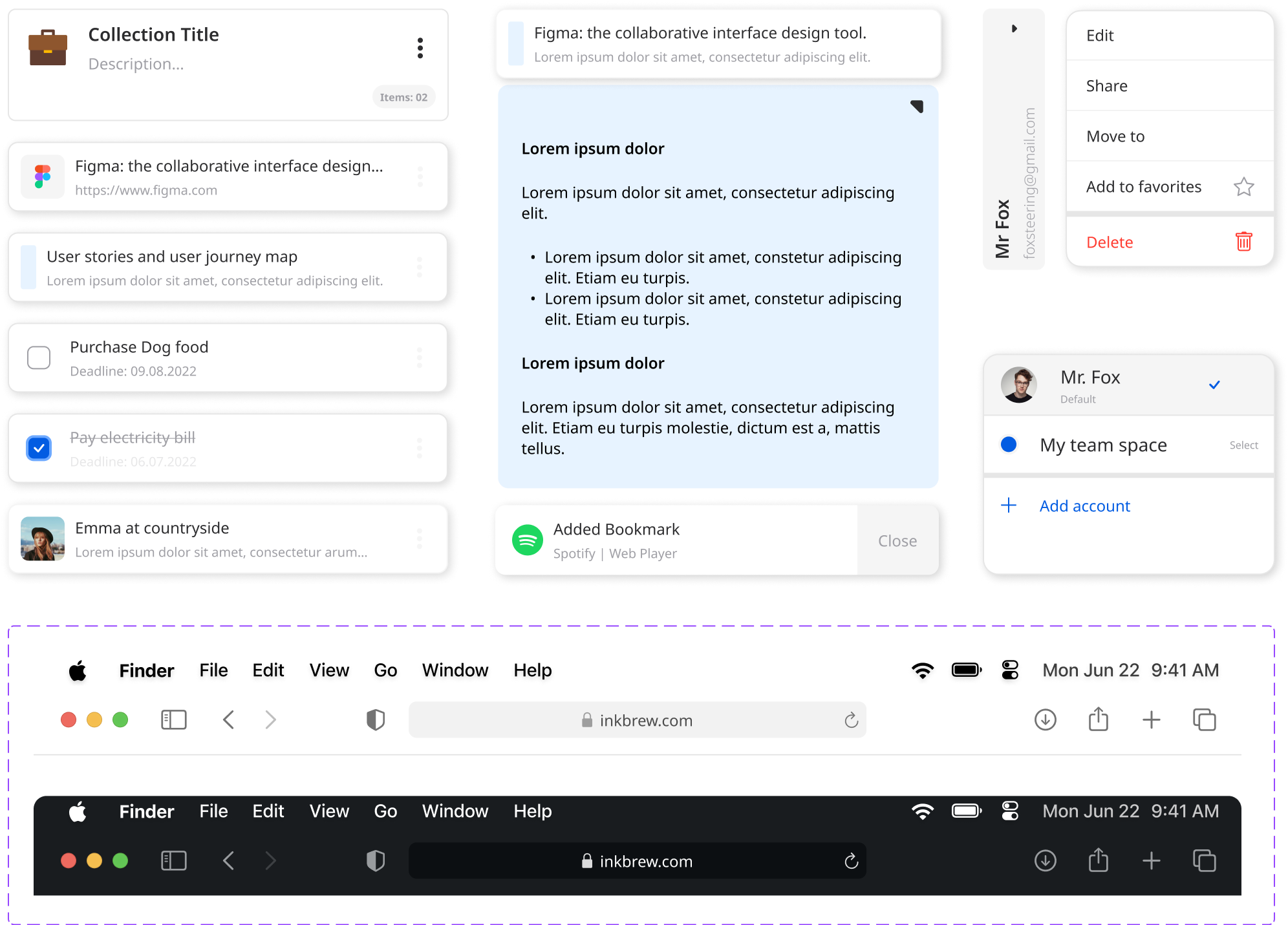
Components

Design components collection

Final Design

Scissors icon

Based on various feedback from interviewees & mentor, I continually iterated my design over the span of 4 weeks and I have chose the minimalistic style.
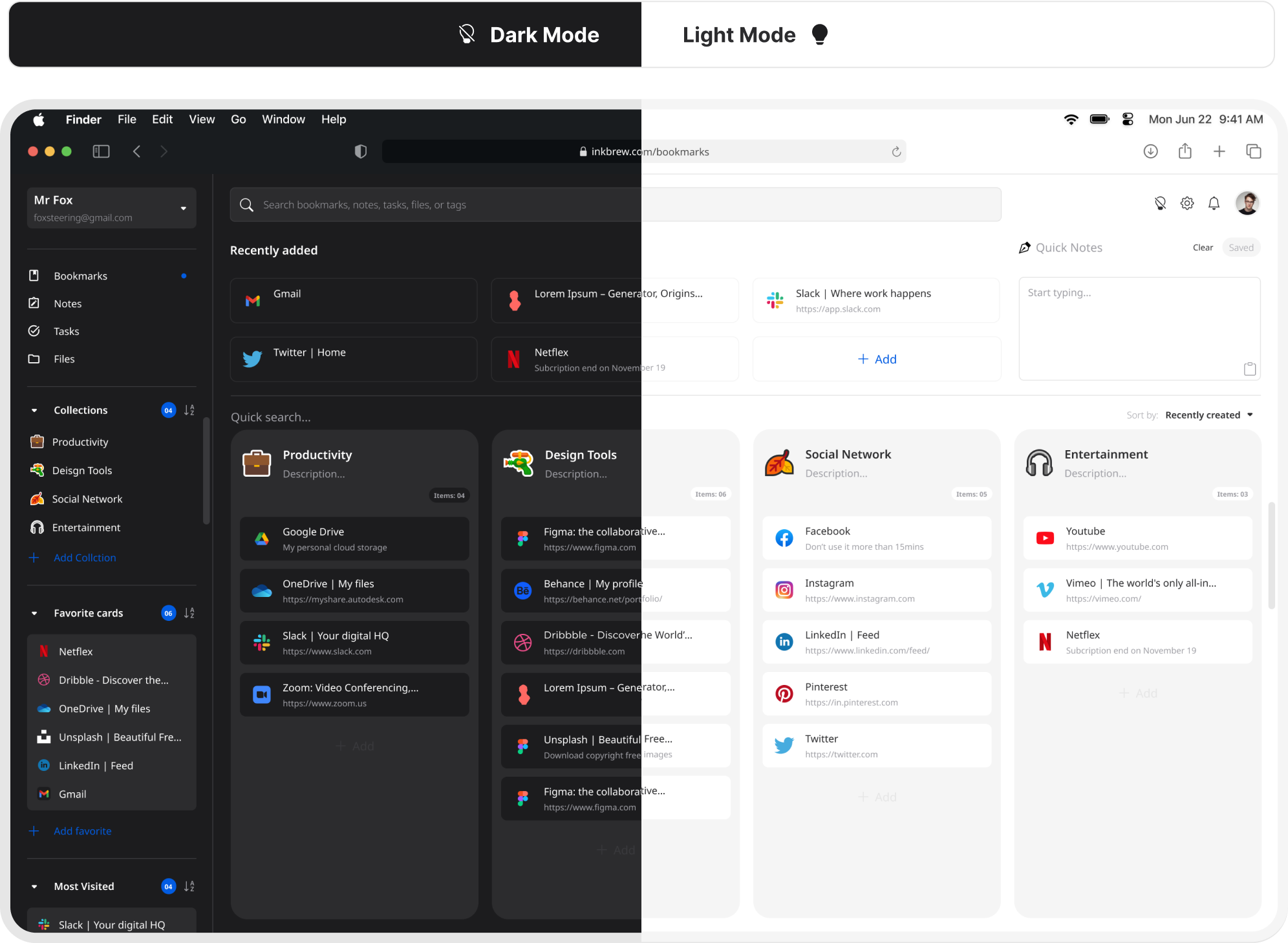
Dark mode and light mode mockup
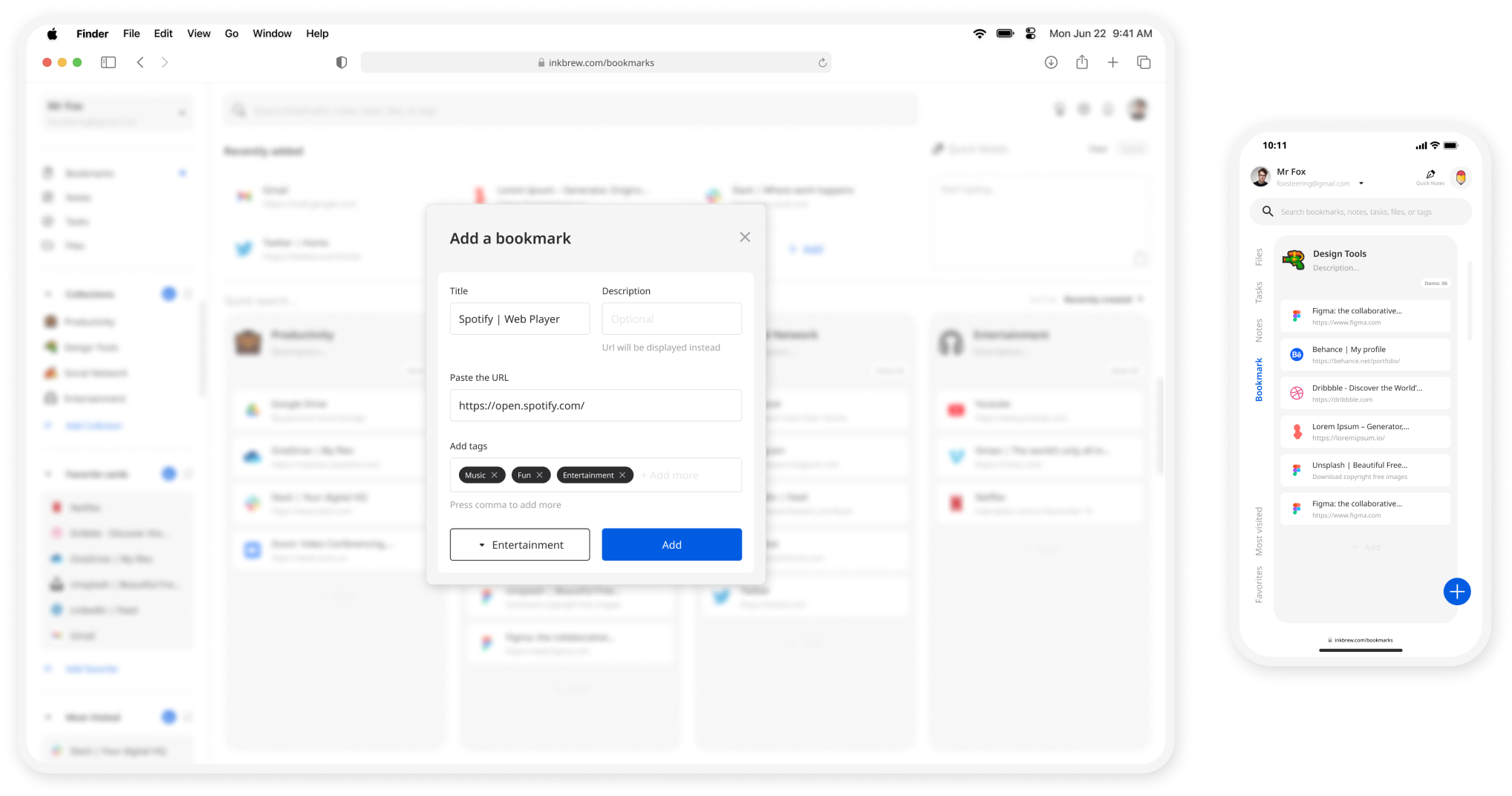
Add bookmark screen mockup render

Add Tags

- Based on the feedback add an option to allow users to add tags when adding new items so that users can link items across different categories with tags.
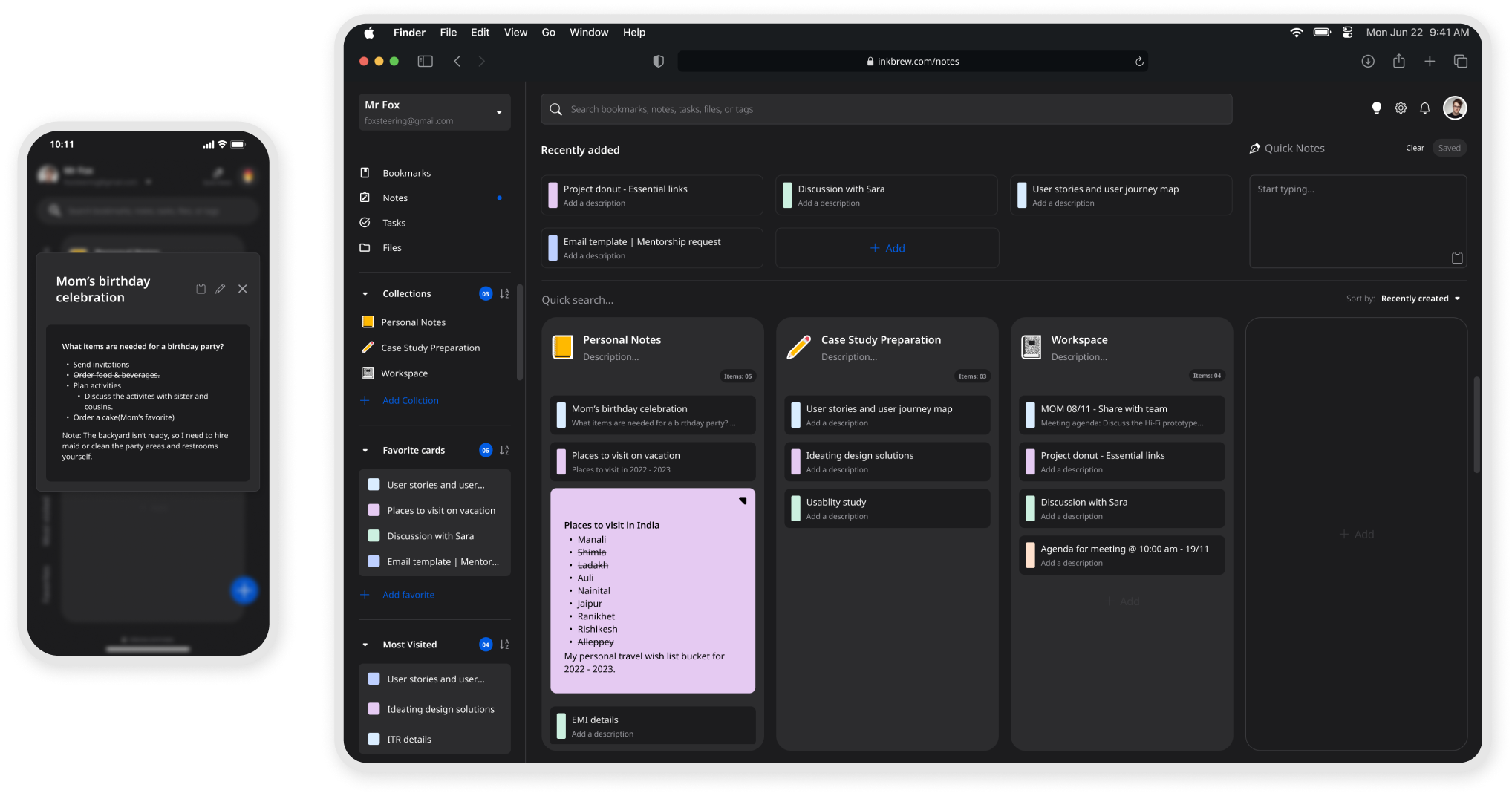
Notes screen mockup render

Fullscreen preview

- Based on the feedback customer would like to have a unique background for each note.

- Based on the feedback apart from being able to preview the notes, added an option to open the notes in full screen for easy readability.
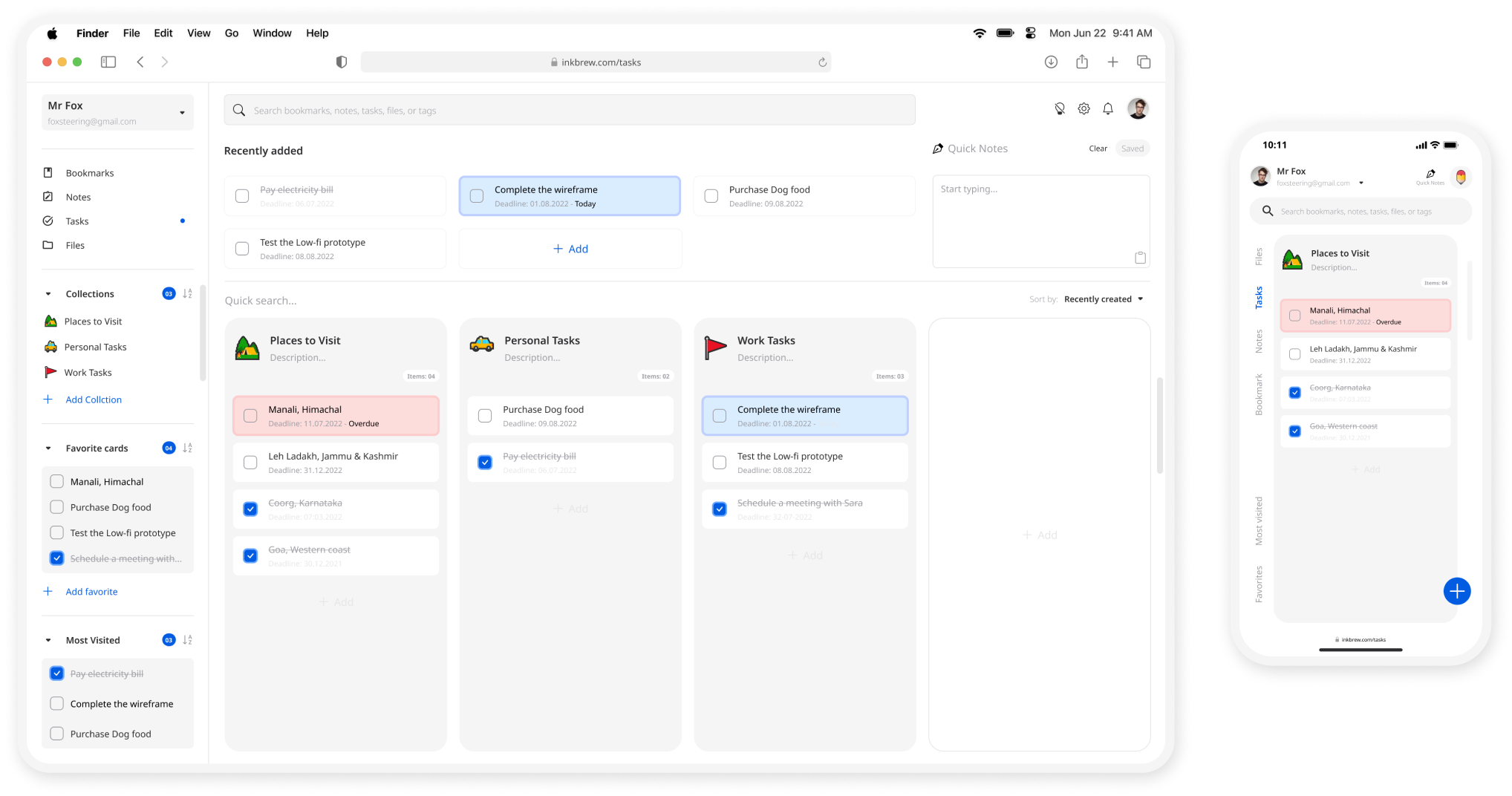
Tasks screen mockup render

Visual indication

- Based on the feedback users wanted to visually identify when the tasks is overdue.

- Users wanted to see the deadline date without opening the task. So added the deadline date below the task's title.
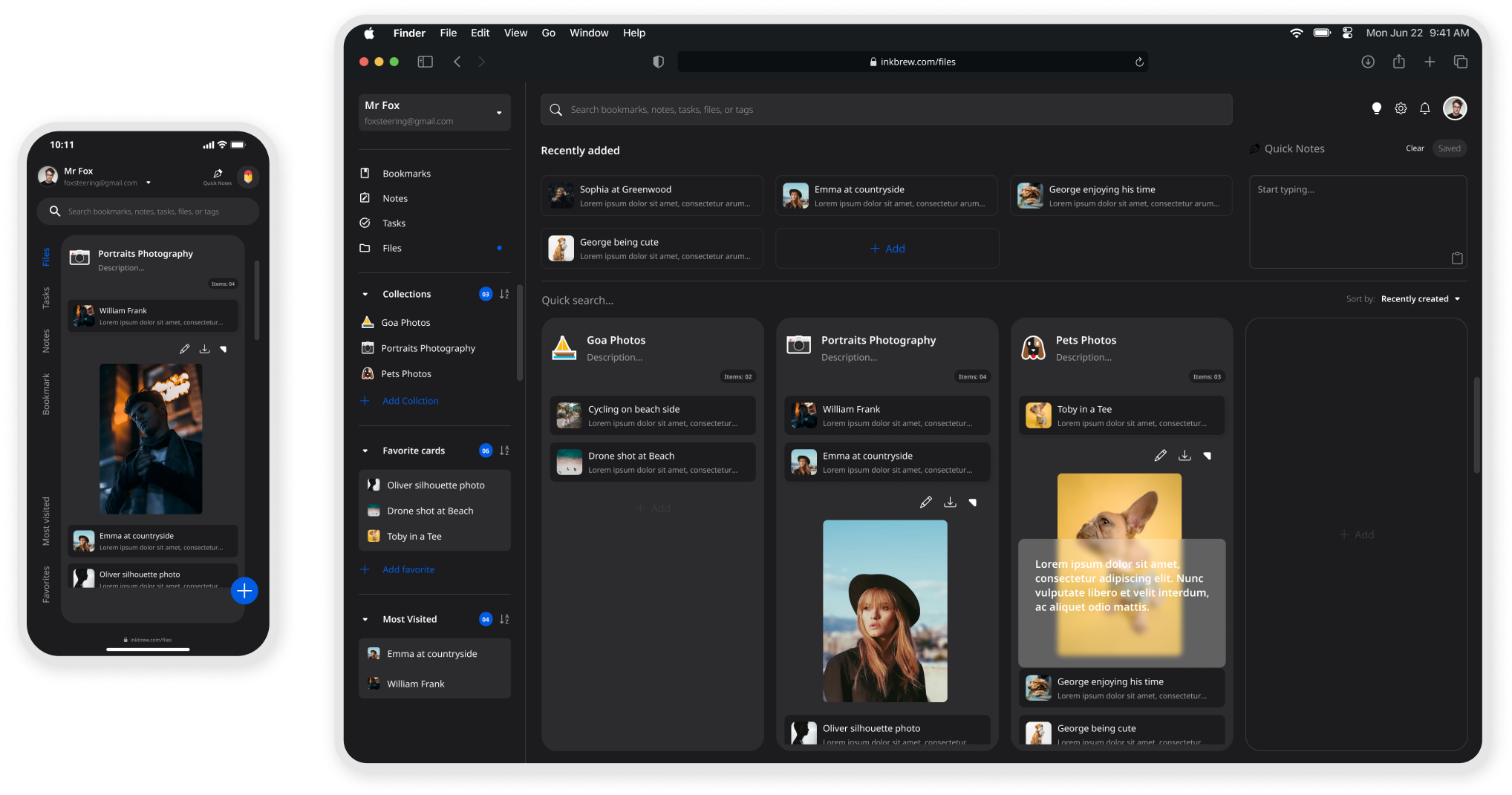
File screen mockup render

Quick preview

- Based on the feedback users would like to see a preview of the files before sharing, downloading, or exporting.

- Based on the feedback most of the users would like to add a description of the file add feature when users preview the file it shows the description of the file.

You can interact with the prototype

Take Away & Lessons Learned

What I’d do differently next time.

Continuous Improvement. I released that UX Design is a process rather than a design technique. In UX Design, you constantly improve the product in an iterative cycle and measure your improvements. I’ve explored so many different options to try finding the right solution for my app users- I’ve ended up “restarting” my project over than 3 times with over 9 iterations of my FIGMA file to make sure every aspect of the app was designed Putting user at front and center.

Never make assumptions. After the first usability studies I notice an implicit bias in my design decision. So I always recognize assumptions that are being made, then question and clarify them with my users, or target. I was amazed at how much paradigm altering information I uncovered when I simply questioned my assumptions.

Be open to being wrong. Don’t get attached to your ideas, because there’s a large possibility that a better idea than yours exists, or that you could be entirely wrong. When you get too attached to your ideas, it stifles innovation because it limits you from looking at other options. It changes your perspective from looking at ideas to defending your pride. Don’t stifle innovation by being too attached to your idea.

Next Steps

The next step would be to conduct another round of usability studies with a wider range of participants, to determine whether the current solution effectively addresses the users’ pain points.

Thank you for reading. You have reached the end of this case study 🙏🏾. Please feel free to drop your comments and suggestions.
Feel free to reach me at vigramvasi@gmail.com

More projects

Soulfood | Order street food online

Card title soulfood

Ink brew app’s goal was to let users organize their digital thoughts, teams and individual tasks, bookmarks, notes and files in one place. Less may not be more, but it is significant sometimes.

In Progress

Card title inprogress

The more we get attached to technology the more detached from the people, life and elders. My journey app's goal is to enable everyone to share their life story and their learnings with others to help them do better in their life.

Go to page top